Alyssa Rose Peters Private case study

Enter password to view

← Back to home
Case Study 02

Scheduling Rules

Using AI to solve a problem our design system couldn't scale to.

Role
Principal Product Designer
Platform
Web admin + AI prototype
Status
Slated for development in Q4, 2026
— 01 BACKGROUND —

Analog and Manual Current State

Clients could build rigid or very open schedules, but a problem with a very open schedule is that providers still had preferences for how their day should be structured. These "scheduling rules" lived on post-it notes around the screens of schedulers, in binders, or were passed from trainer to trainee verbally — but there was never a way within our system to codify these rules digitally. We knew doing so would ease the lives of schedulers and make our offering so much more appealing and modern.

Post-it notes and binders around a scheduler's monitor

Rules lived on post-it notes, in binders, and were passed from trainer to trainee — never inside our system.
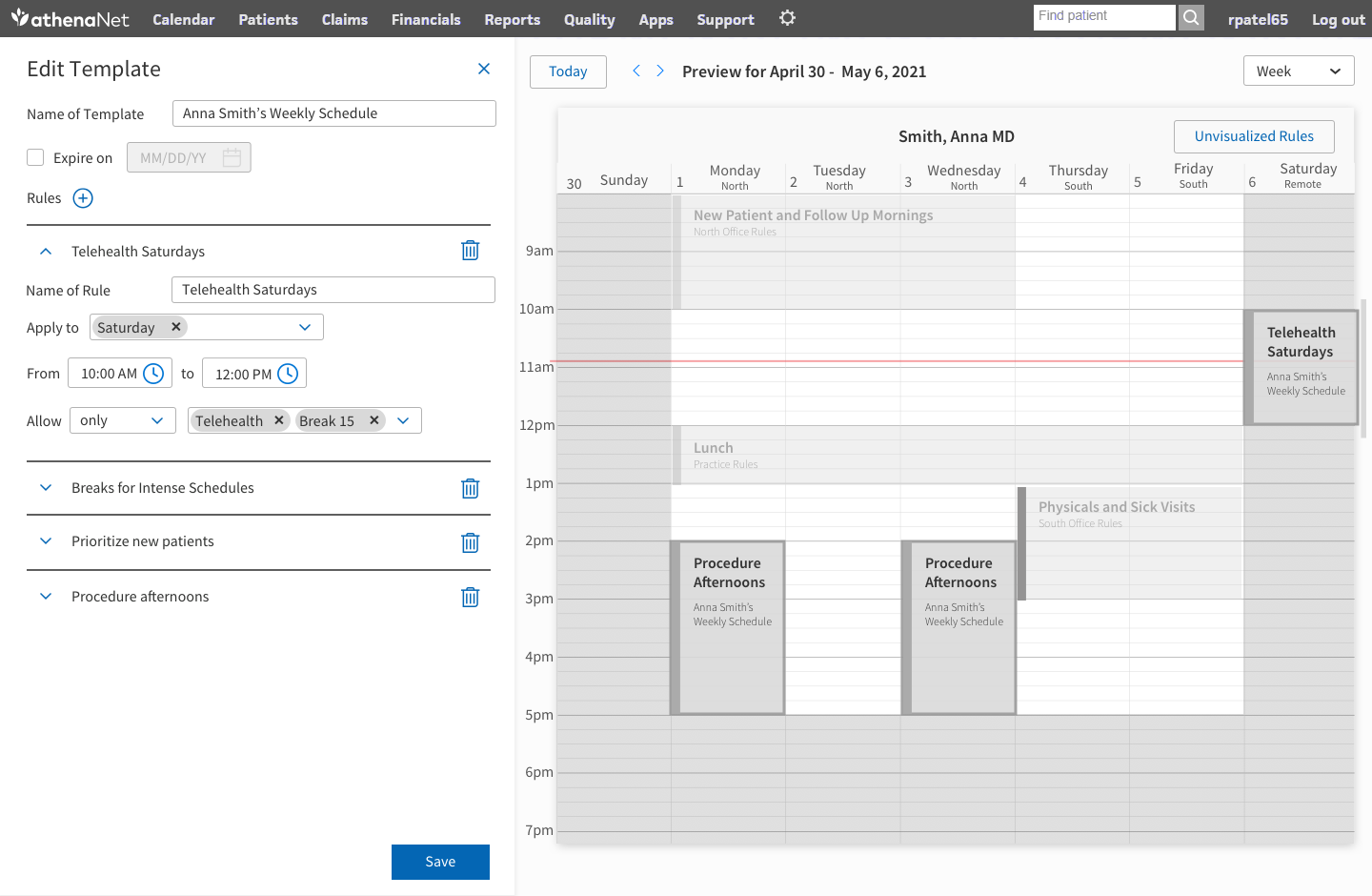
Rule creation in the early vision work for Schedule Builder

Rule creation in the early vision work for Schedule Builder

The first hint of rules I worked on was during the concept phase for Schedule Builder. However, we never quite got around to tackling rules.
— 02 THE SPARK —

Opportunity Spotted - AI and LLMs

We danced around form-based rules for years, but it felt like we would be so slow at releasing rules that users wouldn't truly be satisfied. When AI and LLMs started to mature, I saw an opportunity. If an LLM could translate the client's written scheduling rules into code, we would have a winning combination, and gas in the tank of our rules engine to address many scheduling concerns.

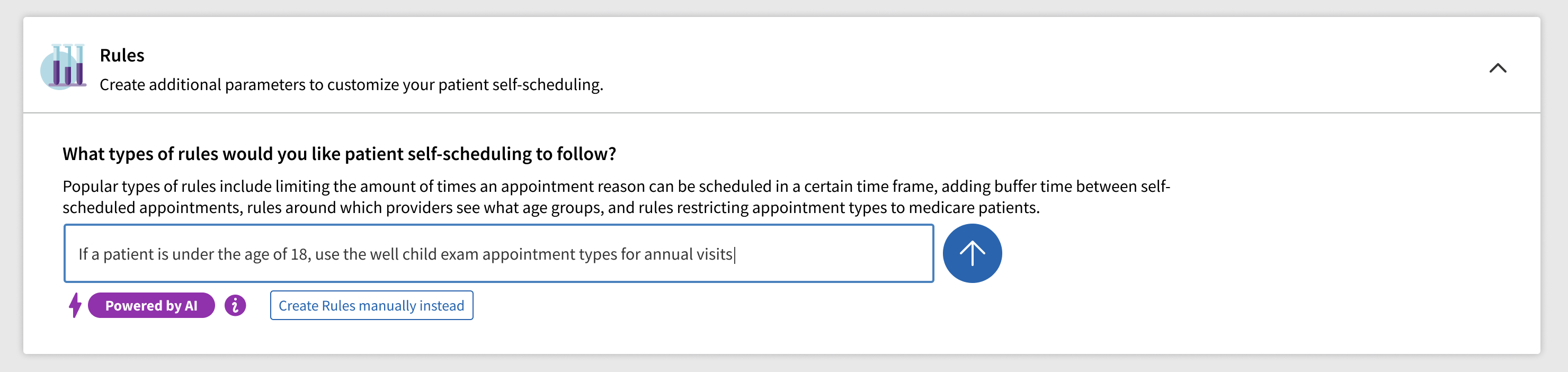
Early AI rules concept exploration Early AI rules concept exploration

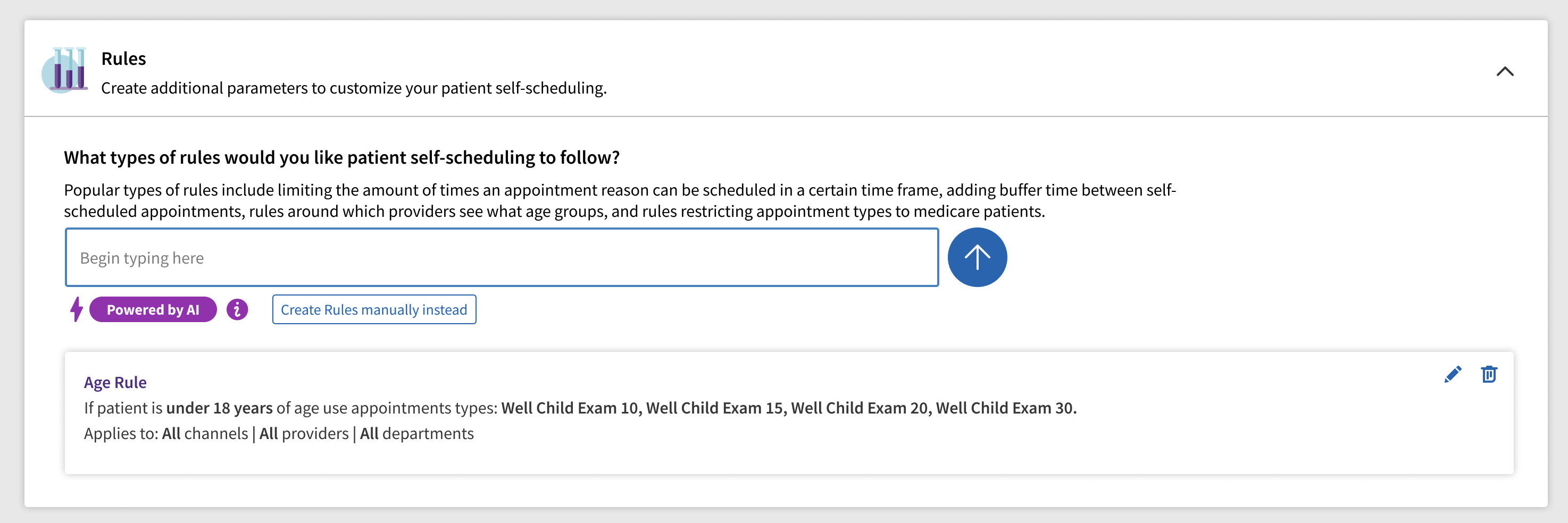
The maturation of LLMs made me wonder if clients could type in their rule how they think of it, and AI could interpret the appointment types and parameters inferred.

— 03 THE PROOF —

My Windsurf Prototype in Front of Clients

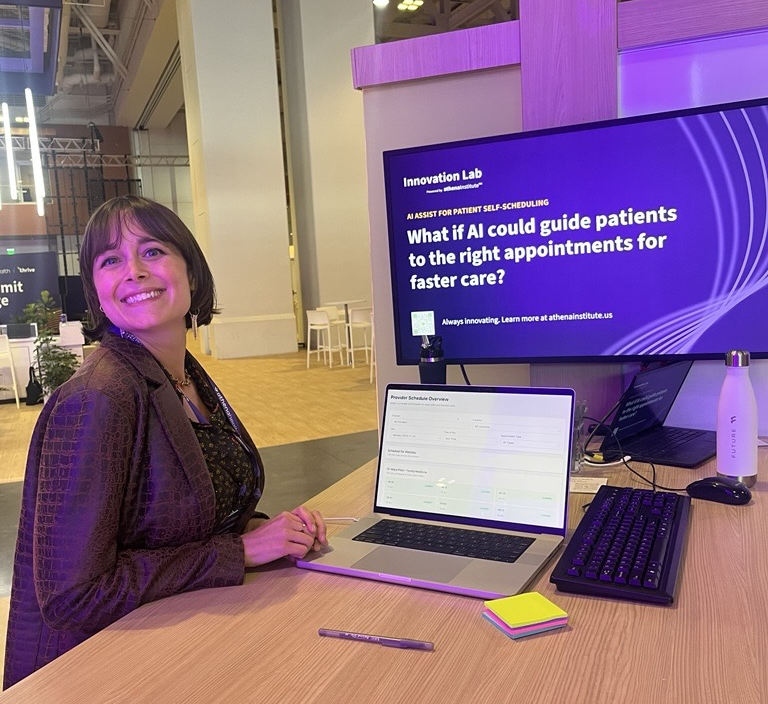
I got a license for Windsurf and made a prototype using my personal OpenAI API key, to prove that natural language rules could be processed and used to limit open appointment slots. I brought the prototype to our annual client conference and put it in front of real schedule admins. The most common phrase I heard was "When can we have this? Now, please?"

It was confirmation that this type of feature was exactly what clients had been waiting for and more. The ability to free text a rule instead of follow rigid categories we offered them sparked a lot of discussion about complex rules clients would want but never dreamt of asking our system to handle.

That prototype got Scheduling Rules on the roadmap with a team and funding.

Presenting the scheduling rules prototype at Thrive

Me showcasing my prototype and getting feedback from users at our annual client convention, Thrive.

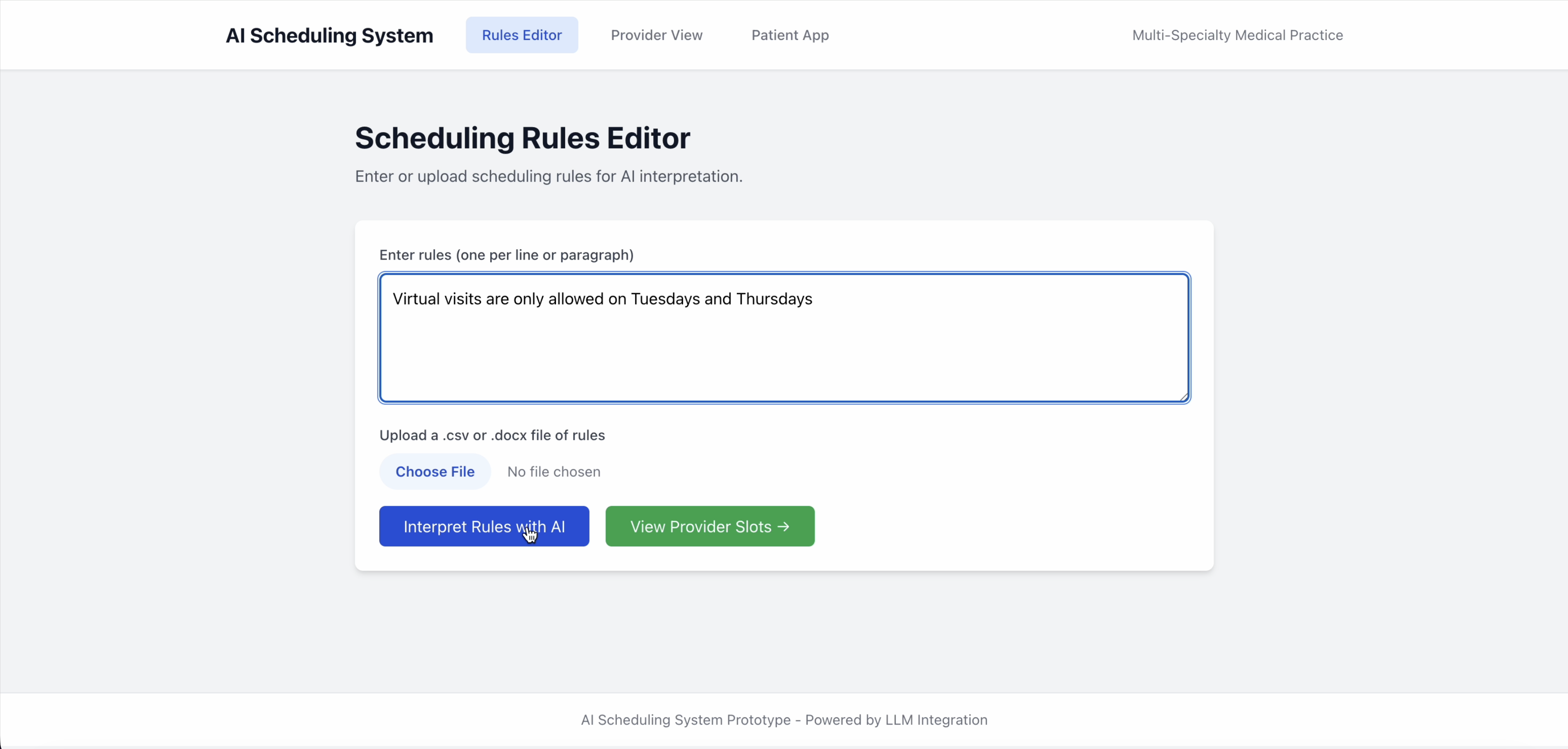
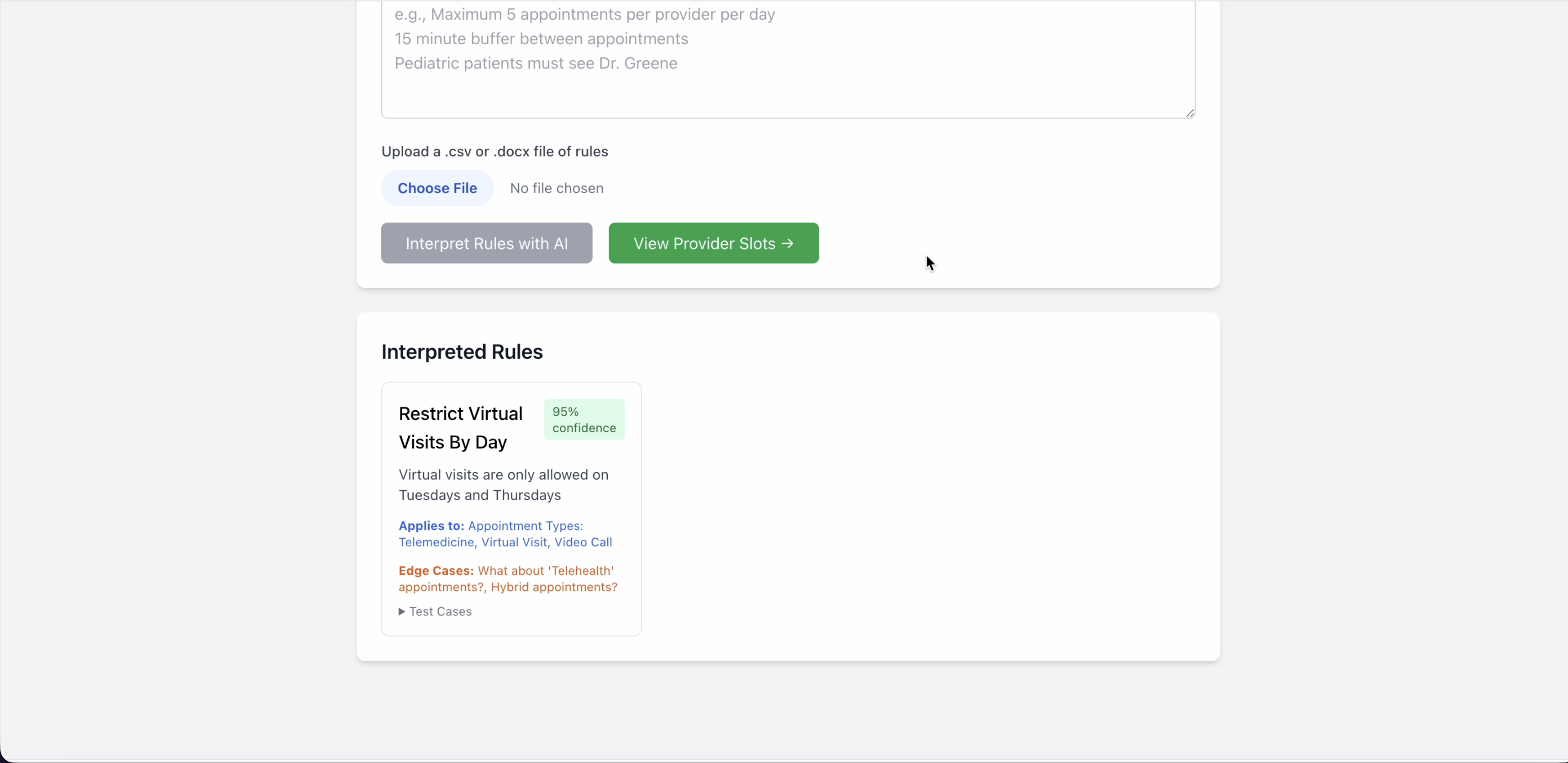
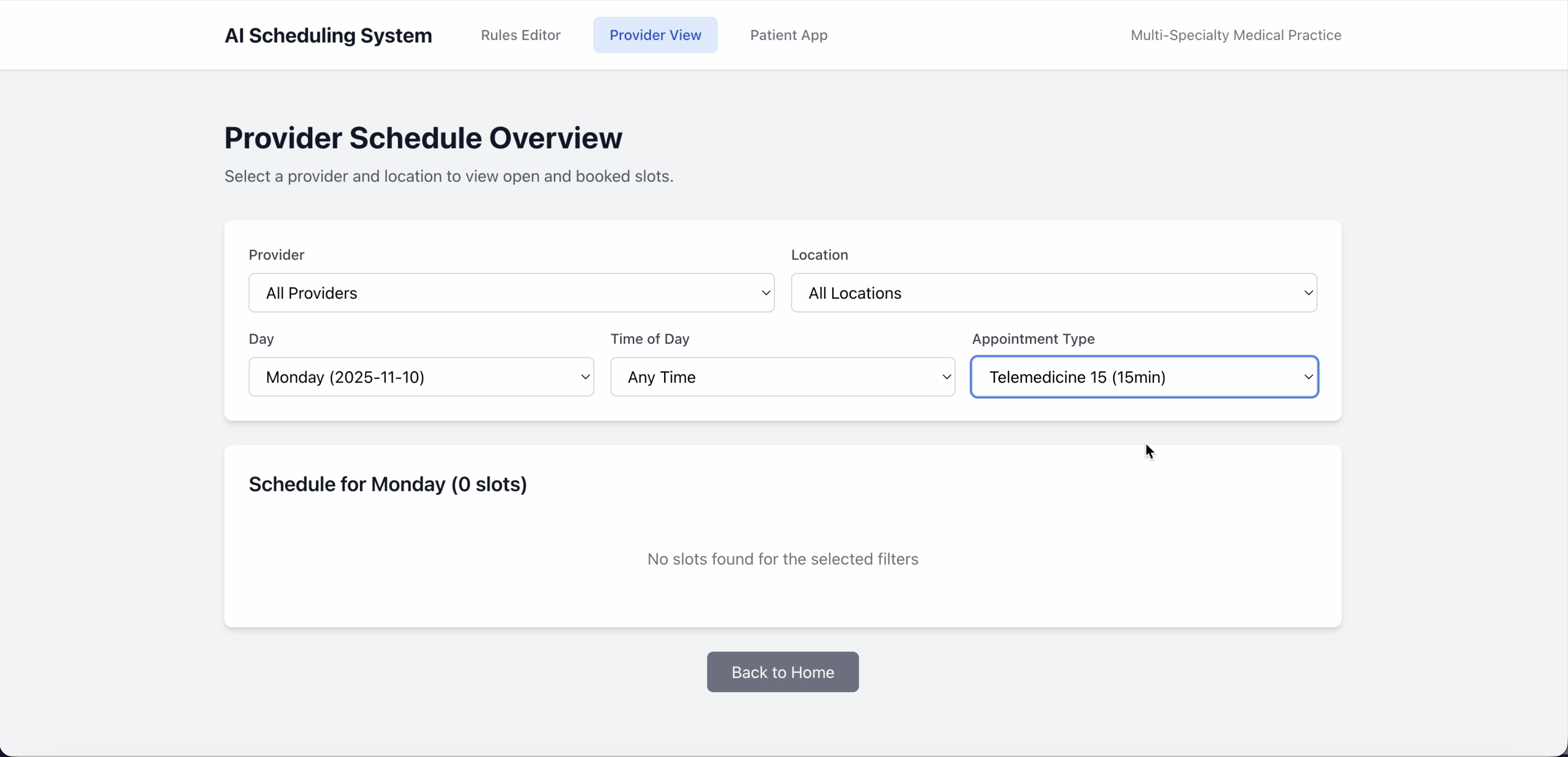
Below are screenshots that explain the flow.

Entering a scheduling rule in plain language

The user enters the rule in plain language, how it is currently communicated to staff.

The LLM interprets the rule and applies it to the schedule

The LLM interprets the rule and applies it the schedule

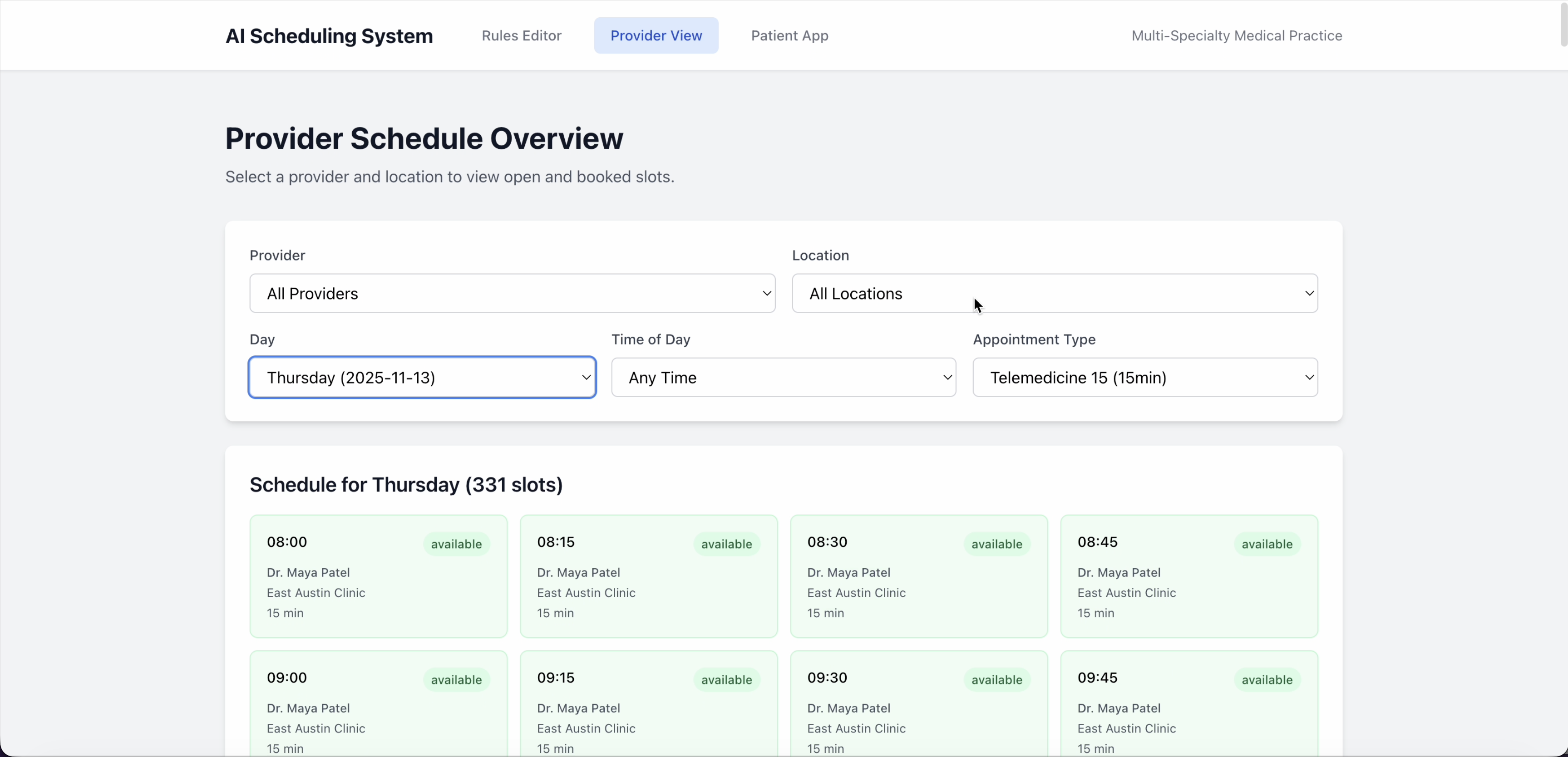
Provider schedule showing no telehealth slots on Monday

Checking the provider's schedule for a telehealth appointment, we can see that on Monday, no slot can be booked as telehealth, matching the rule's intention.

Provider schedule showing available telehealth slots on Thursday

Changing the day to Thursday, we do see available slots for a telehealth appointment, matching the rule's intention.

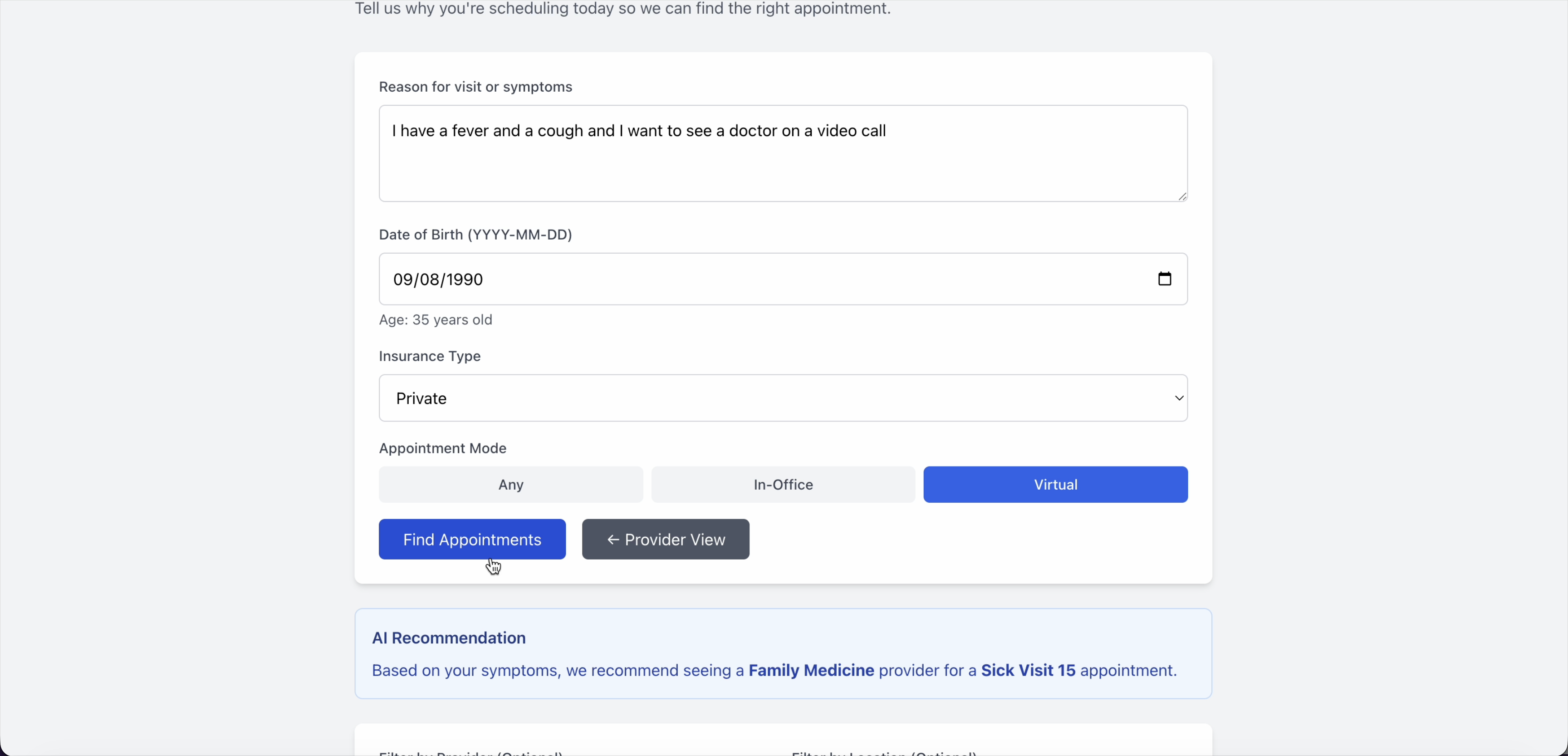
Patient requesting a video call for a sick visit

In the patient experience, a patient requests a video call for a sick visit

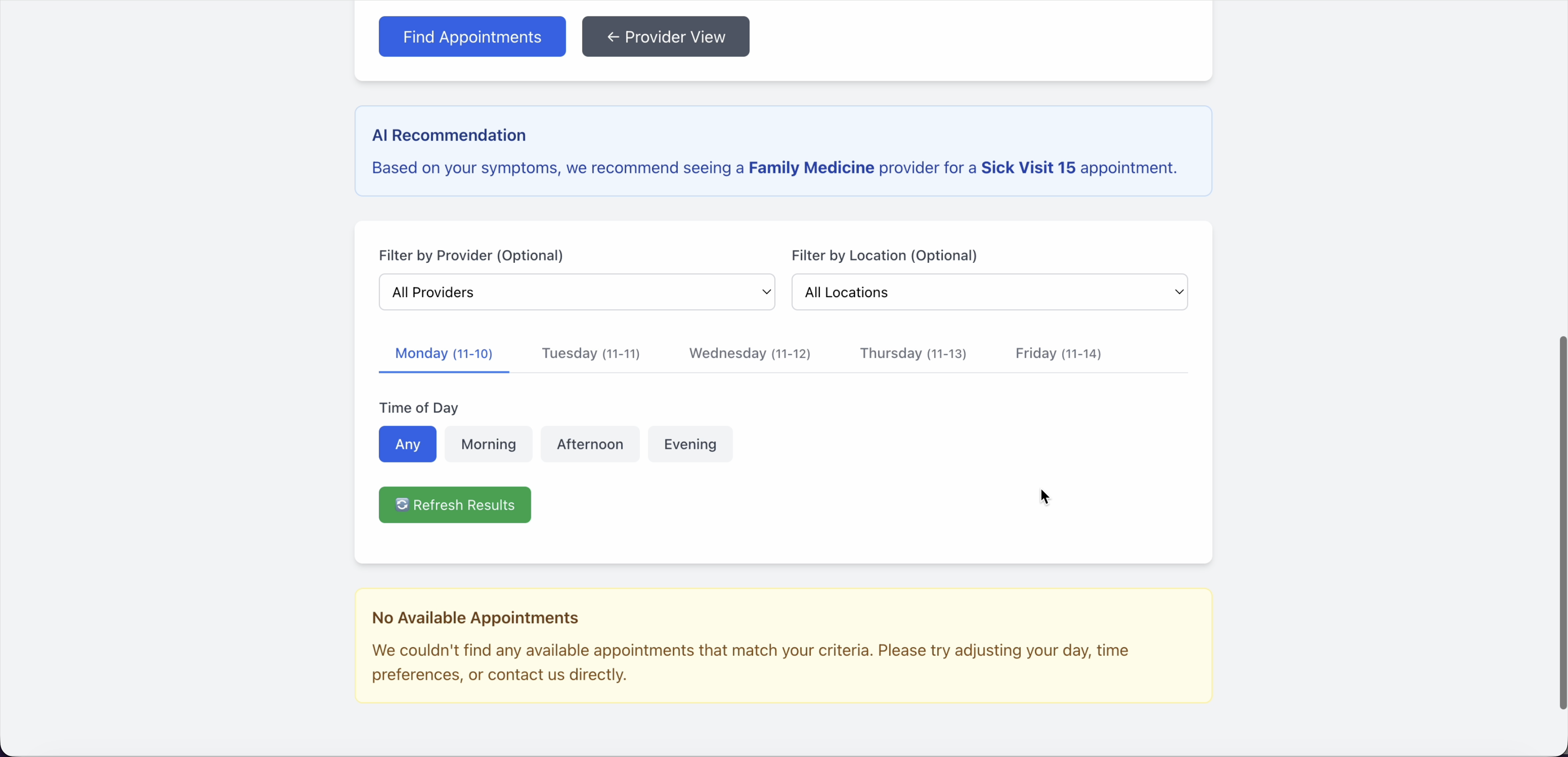
Patient view showing no telehealth availability on Monday

The patient does not see availability on Monday

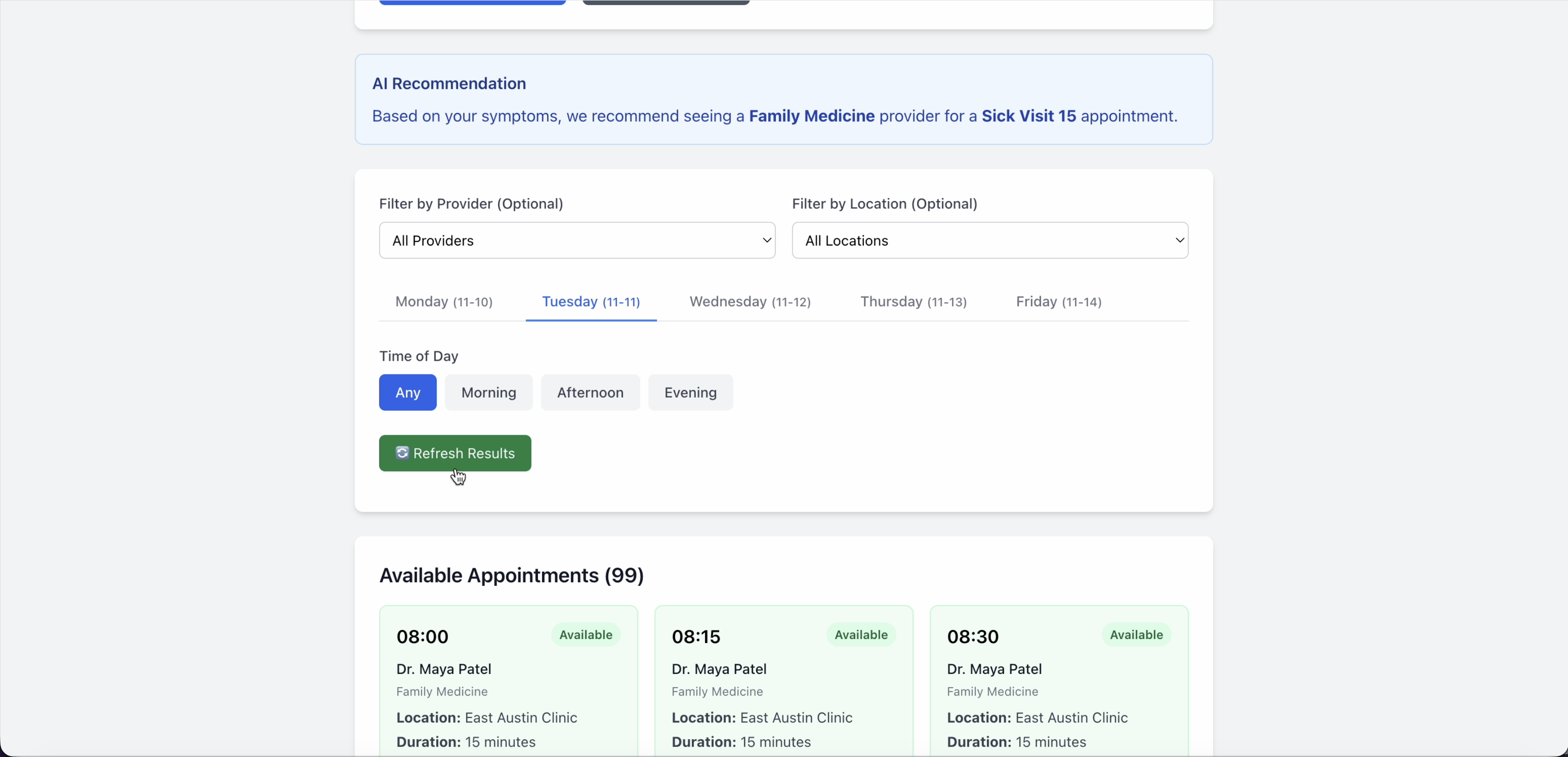
Patient view showing telehealth availability on Tuesday

But as the rule intended, the patient will see telehealth availability on Tuesday!

— 04 THE REAL WORK —

Building a Concept Engineering Felt was Trustworthy

Turning a proof-of-concept into something engineering could stand behind meant confronting a harder truth: an LLM that works brilliantly in a demo isn't the same as one you can trust in the high-stakes environments of the real world. Our AI engine team assured us that an LLM interpreting and applying rules would apply a given rule the same way 95% of the time. That wasn't good enough. Engineering said we needed a hardcoded function for each rule — one that would work the same way 100% of the time.

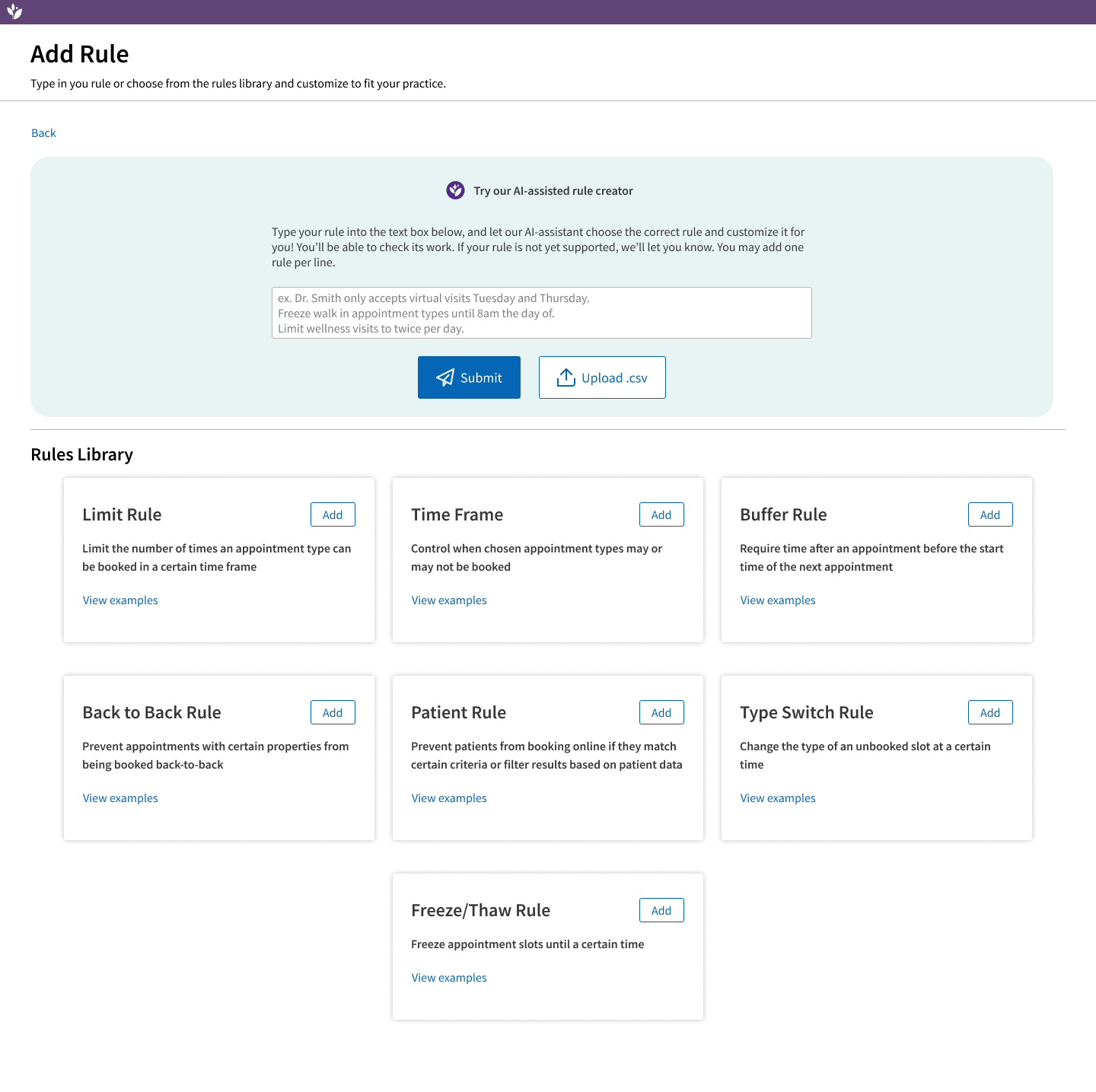
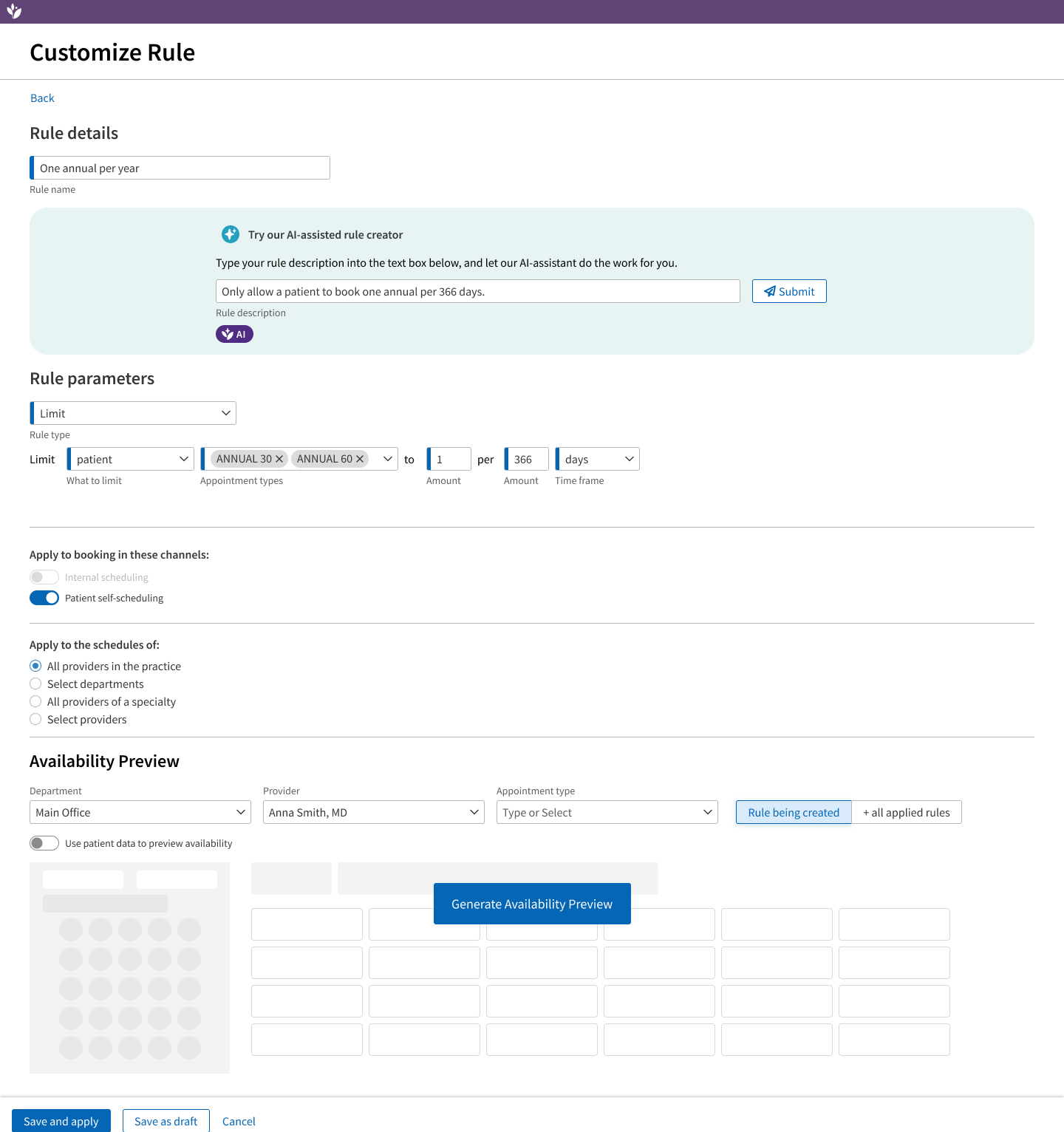
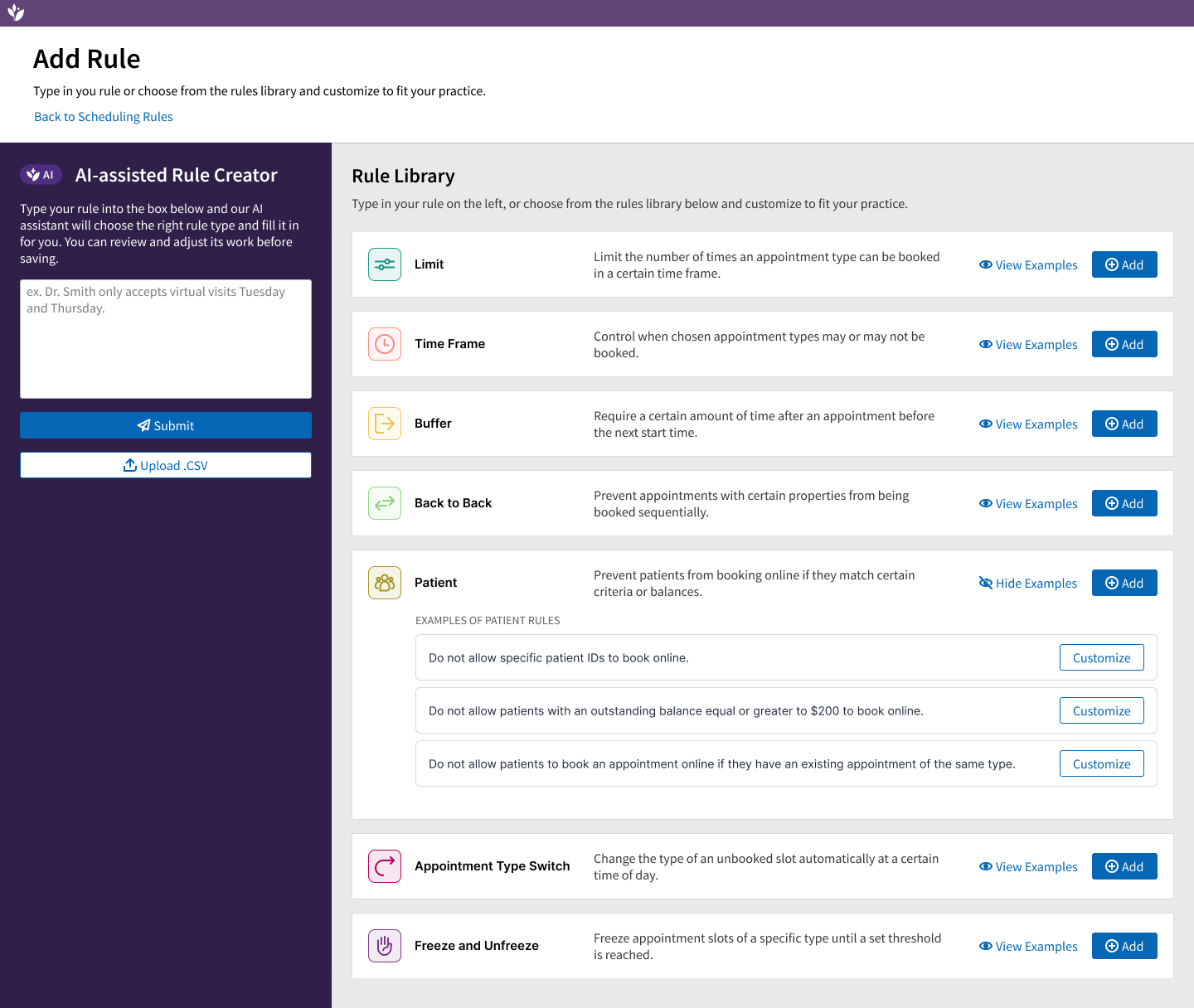
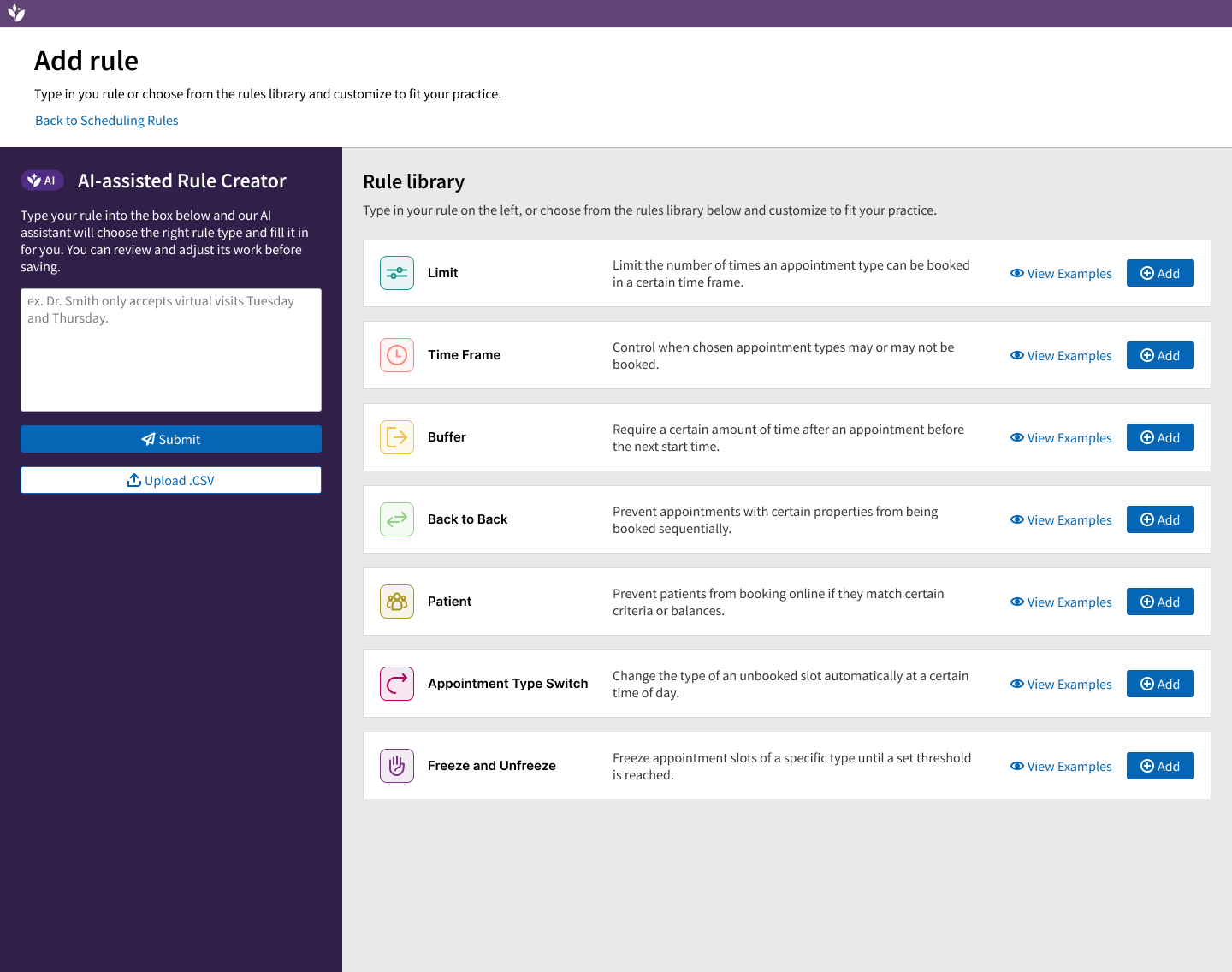
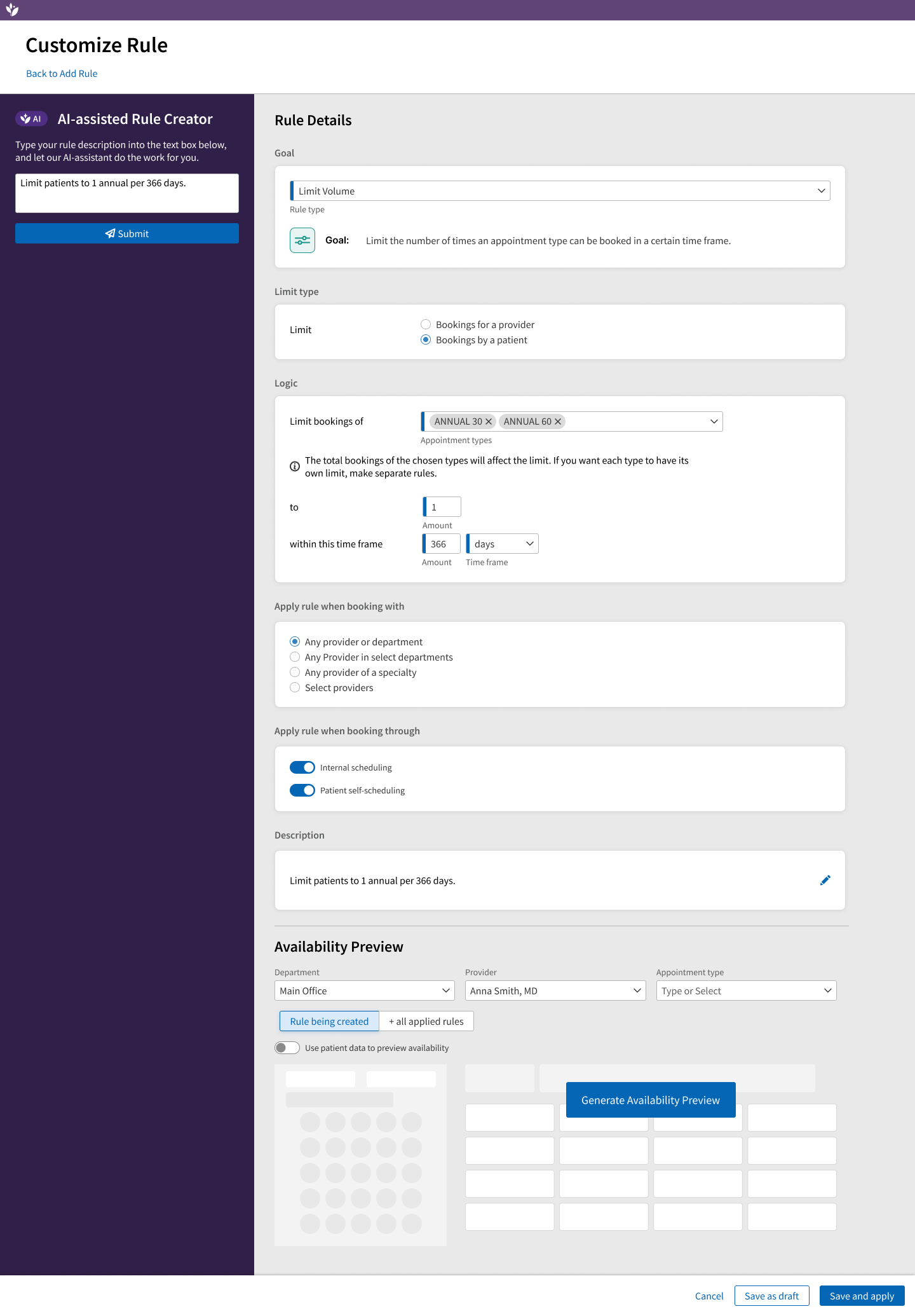
So I designed a library of 7 rules, with many variations, covering most of what clients were excited about. These rules used our go-to form for creation, but I also added AI support: clients could describe their use case and have the form filled out automatically, then make whatever tweaks they needed. The form ensured the rule backend stayed consistent and could be executed the same way every time.

The Rules Library

The Rules Library

Customize rule, featuring AI assist and form fields

Customize rule, featuring AI assist and form fields

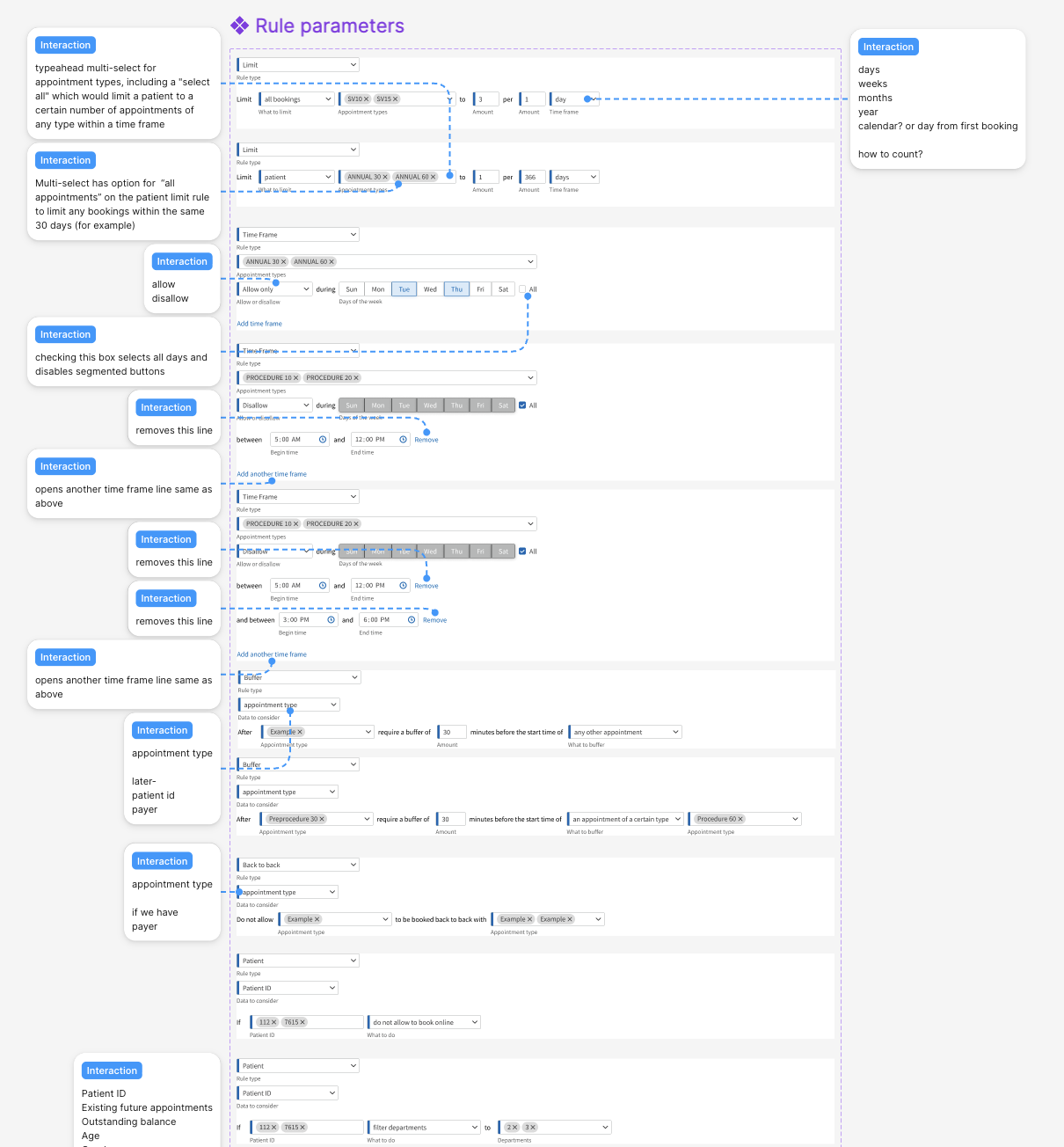
Every permutation of the rules form as Figma components

Every permutation of the rules form as Figma components

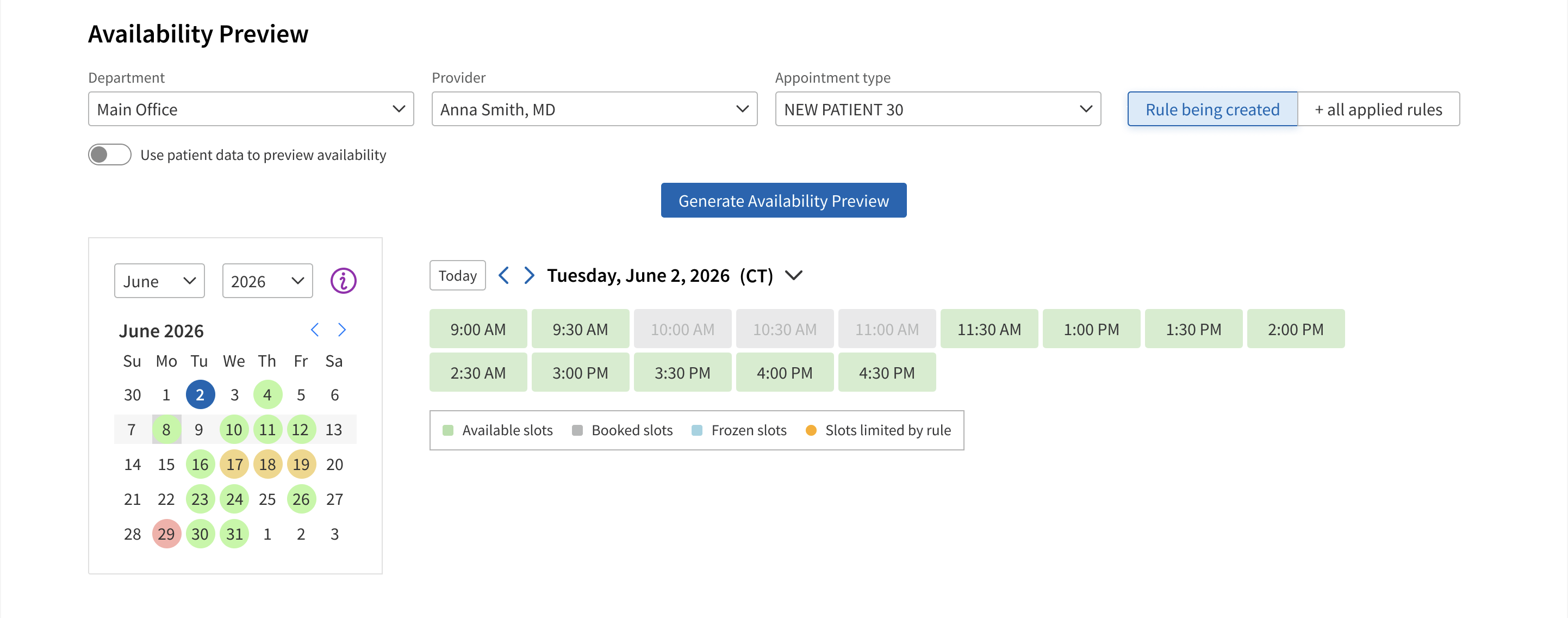
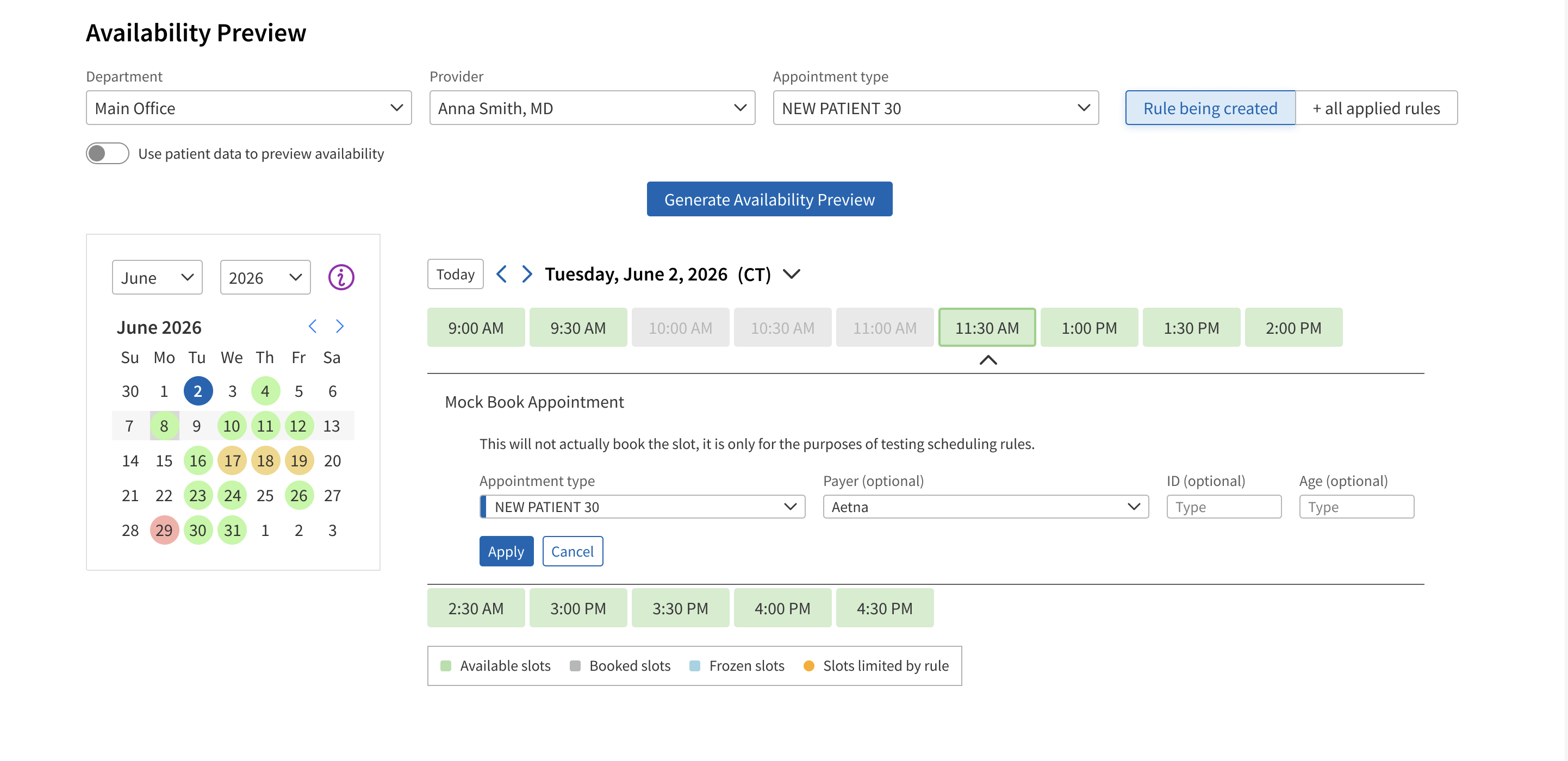
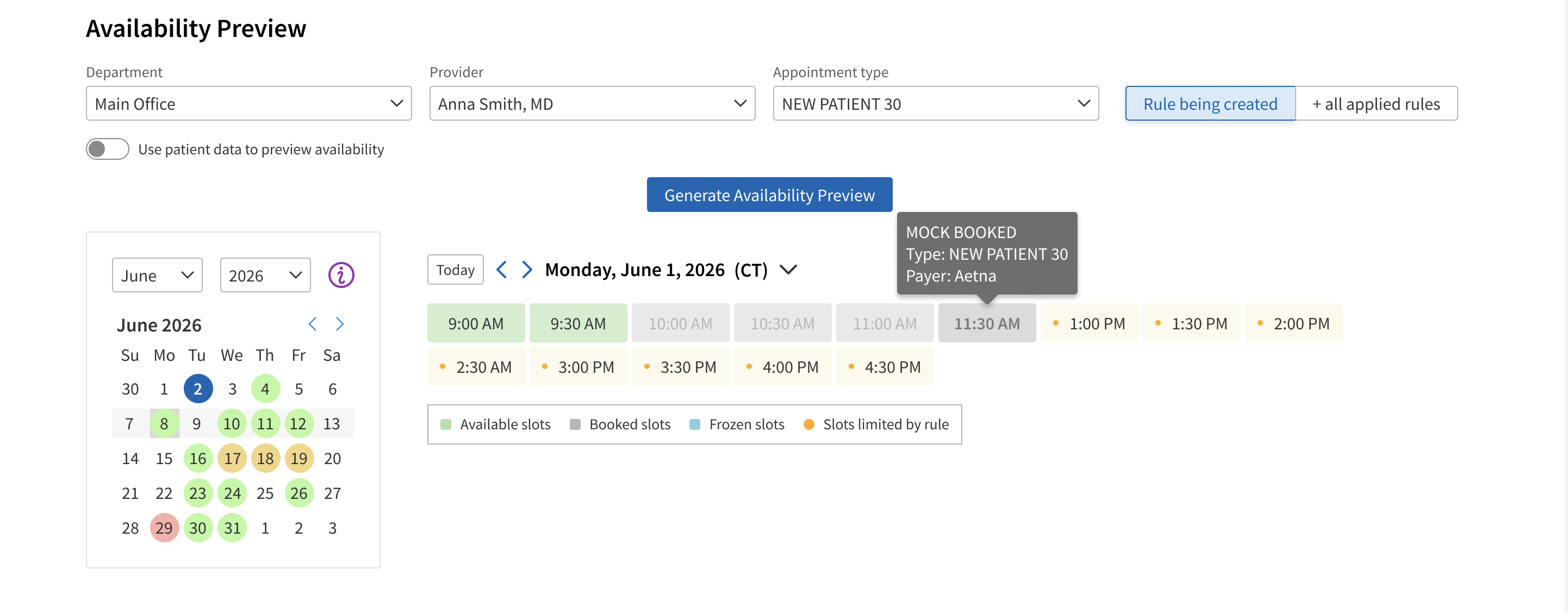
I also built an availability preview — pick a provider, department, and appointment type, and see in real time which slots the new rule would open up or flag, against a backdrop of what's already booked and frozen. In concept validation, clients loved using the availability preview to confirm their rules were working as intended.

Availability preview with the rule not yet triggered

Availability preview where the rule has not been triggered - all unbooked slots are available to book a new patient.

Mock booking slots in the availability preview

The user can "mock book" slots in availability preview to trigger the scheduling rule and test if it is working as intended.

Availability preview with the rule triggered

The rule is triggered, available slots are marked as affected by the rule. Since the new patient limit has been reached, the staff is instructed to not schedule another that day.

Client Feedback

— 05 ITERATING —

Improving Clarity Through Visual Design

While reviewing the rules work with a new project manager, I realized the forms I had designed in the first iteration weren't as intuitive as I'd hoped. To be honest, visual design is a weak point for me after many years of concentrating on UX. Although the designs I had made were following our design language system, I didn't think they were very attractive. Luckily, Figma released their AI agent, and I used it to make some mock-ups of different visual styles. This was the visual design kickstart and collaborator I needed! I adapted one of the mockups using assets of our design language system and used it as a kickoff point for redesigning the forms in a way that split up the info and made choices clearer.

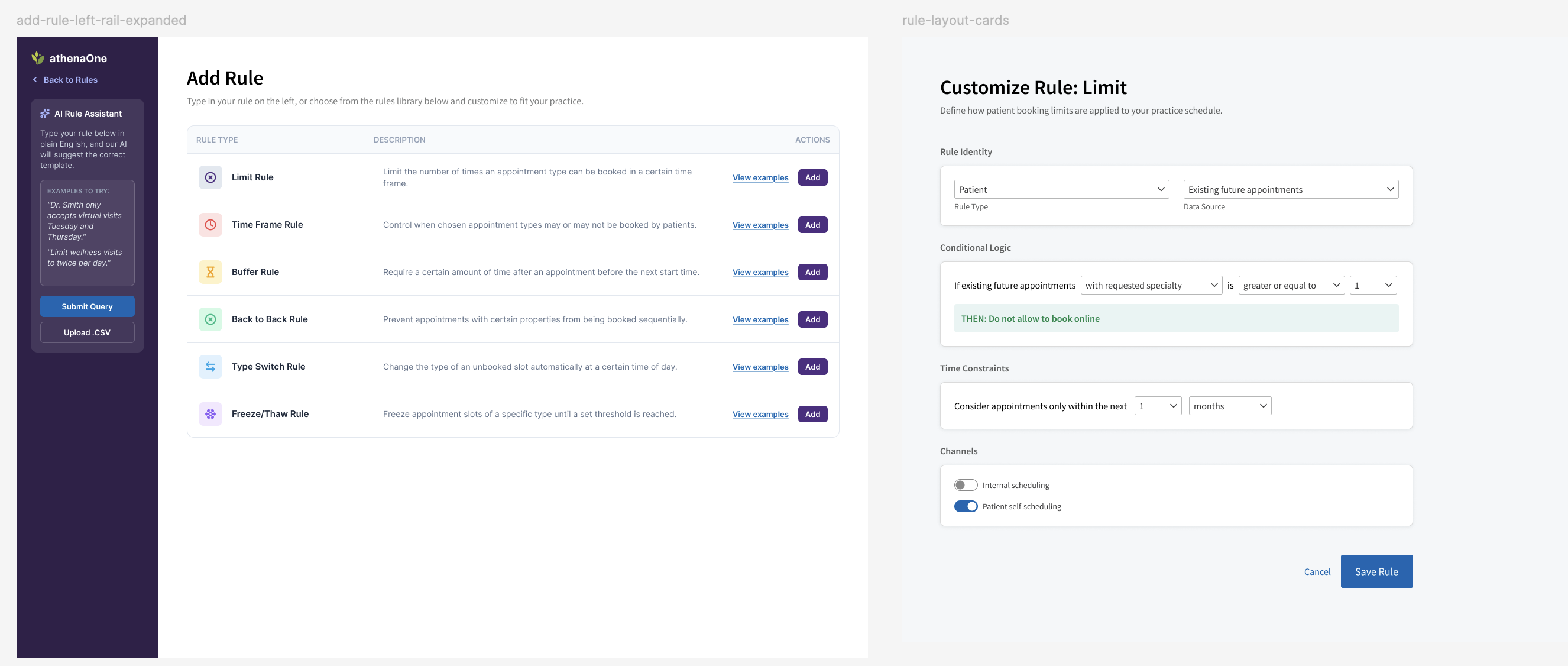
Revised rule library with examples expanded

The revised library design with rule examples expanded

Initial Figma agent mockups

Some of the initial designs Figma agent mocked up

Revised rule library using athena's design language system

The revised rule library using assets, icons, and colors from athena's design language system

Revised form to customize a rule

The revised form to customize a rule. The new form breaks up the parts of the rule and adds more context, making the construction easier to understand.

Where it Stands

Awaiting Development

Scheduling rules begins development in Q4 of 2026. Unfortunately I had to leave the company to relocate to England before seeing this project through. I feel confident clients will love this feature once released!